






EOS VR Utility 1.9.0 for macOS
I have read and understood the disclaimer below
and wish to download the designated software
Software Information
Operating System
Language(s)
Outline
Software that converts images captured by the EOS VR SYSTEM into 180°VR images in equirectangular projection that can be viewed and edited in a VR environment.
Update History
■Changes for EOS VR Utility 1.9.0 for macOS :
- Supports EOS R6 Mark III.
- Supports EOS C50.
- Added Neural network Upscaling functionality.
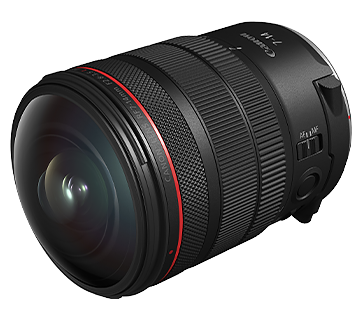
- Supports RF7-14mm F2.8-3.5L FISHEYE STM.
■Changes for EOS VR Utility 1.7.10 for macOS :
- Added support for exporting in the Apple Projected Media Profile (APMP) format for Apple's visionOS 26.
■Changes for EOS VR Utility 1.7.1 for macOS :
- Fixed an issue where audio recorded in [LPCM/24bit/4CH] format on the EOS R50 V would become noisy when exported as a "Spatial Video".
■Changes for EOS VR Utility 1.7.0 for macOS :
- Spatial Photo format is now supported.
- Image Stabilization is now available for the RF-S7.8mm F4 STM DUAL.
- Improved Lens Mask function.
- Improved Automatic Horizontal Correction.
- Supports Firmware Version 1.4.0 or later for the EOS R50.
■Changes for EOS VR Utility 1.6.0 for macOS :
- Supports EOS R50 V.
- 3D Theater format now has modes that you can select to suit your viewing environment.
- Added 16:9 cropping to Spatial Video format.
■Changes for EOS VR Utility 1.5.12 for macOS :
- Fixed an issue when exporting in Apple ProRes format.
■Changes for EOS VR Utility 1.5.11 for macOS :
- Fixed a minor bug.
■Changes for EOS VR Utility 1.5.10 for macOS :
- Supports RF-S7.8mm F4 STM DUAL.
- Supports EOS C80.
- Added Export Format: Spatial for Apple Vision Pro.
■Changes for EOS VR Utility 1.4.11 for macOS :
- Fixed a minor bug.
■Changes for EOS VR Utility 1.4.10 for macOS :
- Supports EOS R5 Mark II.
- Supports EOS C400.
■Changes for EOS VR Utility 1.4 for macOS :
- Supports RF-S3.9mm F3.5 STM DUAL FISHEYE.
- Supports Firmware Version 1.5.0 or later for the EOS R7.
■Changes for EOS VR Utility 1.3 for macOS :
- Supports Firmware Version 1.2.0 or later for the EOS R6 Mark II.
- Added Image Stabilization for VR.
- Support Export for 360°VR.
- Added [Strength], [Fineness] and [Threshold] for Sharpness option.
■Changes in EOS VR Utility 1.2 for macOS
- Supports RAW movies.
- Added a lens mask function (a function to mask the reflected part of the lens with the app).
- Supports Apple Silicon.
■Changes in EOS VR Utility 1.1.2 for macOS
- Improved MP4 export processing speed (Requires corresponding GPU environment).
■Changes in EOS VR Utility 1.1 for macOS
- Supports EOS R5 C.
■Changes in EOS VR Utility 1.0 for macOS
- Newly released.
System requirements
To use this software, your computer has to meet the following system requirements.
* Operation is not guaranteed on all computer that satisfy this environment.
■Required System Configuration:
1. Supported OS
- macOS 15, macOS 14, macOS 13
2. Supported computers
- A Mac computer supporting the OS above.
RAM:
- 8 GB or more
GPU:
- GPU installed in the above Mac (including built-in)
-- MP4: VRAM 4GB or more
-- CRM: VRAM 8GB or more (8K clips) / VRAM 4GB or more (4K clips)
-- The processing performance should be lower on a computer that has no supporting GPU.
3. Display
- Resolution: 1,920x1,080 or higher
■Recommended System Configuration:
To enable 30fps playback of 4K MP4 and 8K CRM clips, the following additional configurations are recommended in addition to the above required system configurations.
* Even if the recommended environment is met, it may not be possible to play smoothly.
CPU:
- Intel Xeon W 2.5GHz 14core or greater
RAM:
- 32GB or more (8K clips) / 16GB or more (4K clips)
GPU:
- Radeon Pro Vega 64
or
CPU:
- Apple M1 Ultra chip 20-core CPU or faster (8K clips, Use Neural network Upscaling) / Apple M2 Pro chip 10-core CPU or faster (4K clips)
- Apple M1 Ultra chip 64-core GPU or faster (8K clips, Use Neural network Upscaling) / Apple M2 Pro chip 16-core GPU or faster (4K clips)
RAM:
- 64GB or more (8K clips, Use Neural network Upscaling) / 16GB or more (4K clips)
Caution
- [Export File Format: APMP] requires a Mac with Apple Silicon and macOS 15 or later.
- [Export Format: Spatial] requires a Mac with Apple Silicon and macOS 14.4 or later.
- [Image Stabilization] requires the recommended system configuration. If the environment is not met, this function cannot be used. Creating videos is a paid service.
- [Neural network Upscaling] requires a Mac with Apple Silicon. Creating videos longer than 3 seconds is a paid service.
- Creating 180°VR videos longer than 2 minutes is a paid service. Still images and 180°VR videos up to 2 minutes are free of charge.
- You need to subscribe to a paid plan to use the software. A Canon ID account is required.
Setup instruction
Please refer to the instructions below on how to download and install the software.
Exit all other applications when installing this software.
1. Download "vum-***.dmg.zip" from the download page.
2. Extract "vum-***.dmg.zip" on the computer to generate "vum-***.dmg".
3. Double-click "vum-***.dmg" to display the disk icon "vum***" on the desktop.
4. Double-click "vum***" to open it, then double-click "VUInstaller.pkg".
5. Follow the on-screen instructions to complete the installation.
File information
- File name : vum-1-9-0-9-10l.dmg.zip
- File version : 1.9.0.9
- File type : zip
- File language : EN,ZH,DE,ES,FR,IT,JA,KR,RU,TR
- File size : 69.87 MB
Disclaimer
All software, programs (including but not limited to drivers), files, documents, manuals, instructions or any other materials (collectively, “Content”) are made available on this site on an "as is" basis.
Canon Singapore Pte. Ltd., and its affiliate companies (“Canon”) make no guarantee of any kind with regard to the Content, expressly disclaims all warranties, expressed or implied (including, without limitation, implied warranties of merchantability, fitness for a particular purpose and non-infringement) and shall not be responsible for updating, correcting or supporting the Content.
Canon reserves all relevant title, ownership and intellectual property rights in the Content. You may download and use the Content solely for your personal, non-commercial use and at your own risks. Canon shall not be held liable for any damages whatsoever in connection with the Content, (including, without limitation, indirect, consequential, exemplary or incidental damages).
You shall not distribute, assign, license, sell, rent, broadcast, transmit, publish or transfer the Content to any other party. You shall also not (and shall not let others) reproduce, modify, reformat, disassemble, decompile or otherwise reverse engineer or create derivative works from the Content, in whole or in part.
You agree not to send or bring the Content out of the country/region where you originally obtained it to other countries/regions without any required authorization of the applicable governments and/or in violation of any laws, restrictions and regulations.
By proceeding to downloading the Content, you agree to be bound by the above as well as all laws and regulations applicable to your download and use of the Content.