





Output Tray
Solution
This printer has two output trays: "face-down output tray" and "face-up output slot".
Do not switch one output tray to another during printing. This may result in paper jams.
 Face-down Output Tray
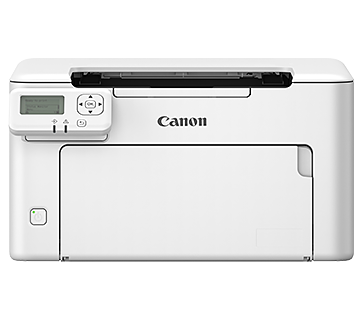
Printed paper is output to the face-down output tray on the top of the printer with the printed side facing down.

IMPORTANT
- Printed paper can be output only to the face-down output tray when performing automatic 2-sided printing.
- During 2-sided printing, do not touch the paper until it is output to the face-down output tray completely. During 2-sided printing, the paper is first output partially after the front side is printed, and then it is fed again to be printed on the reverse side.
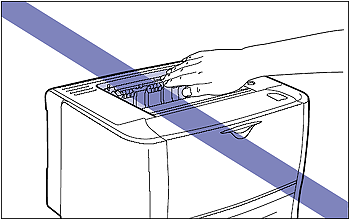
- The face-down output tray and its surroundings become hot during or immediately after using the printer. Do not touch the face-down output tray and its surroundings when removing the jammed paper or performing the related operation.
NOTE
The face-down output tray can hold up to approximately 125 sheets of plain paper (64 g/m ). The paper capacity varies depending on the paper size or paper type. For more details, see "Paper Capacity of the Output Trays" below in this page.
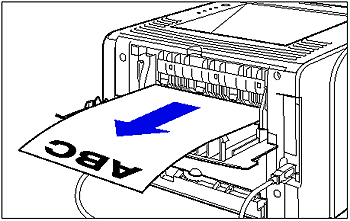
). The paper capacity varies depending on the paper size or paper type. For more details, see "Paper Capacity of the Output Trays" below in this page.Face-up Output SlotPrinted paper is output to the face-up output slot on the rear side of the printer with the printed side facing up.
The face-up output slot is suitable to print transparencies, labels, Index Card, or envelopes which tend to curl, since the printed paper is output flattened.
IMPORTANT
- When outputting paper to the face-up output slot, you cannot perform automatic 2-sided printing.
- When paper is output to the face-up output slot, take out one piece at a time each time it is output.
-: The paper cannot be output
| Paper Type | Paper Capacity* | ||
| Face-down Output Tray | Face-up Output Slot | ||
| Plain Paper (64 g/m) | Approx. 125 sheets | - | |
| Heavy Paper (91 g/m) | Approx. 50 sheets | - | |
| Heavy Paper (128 g/m) | Approx. 30 sheets | 1 sheet | |
| Transparency | 1 sheet | 1 sheet | |
| Label | Approx. 10 sheets | 1 sheet | |
| Index Card | Approx. 10 sheets | 1 sheet | |
| Envelope | Approx. 10 sheets | 1 sheet | |
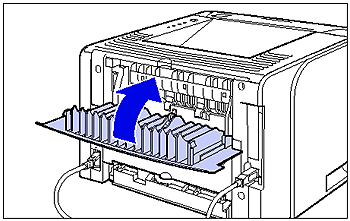
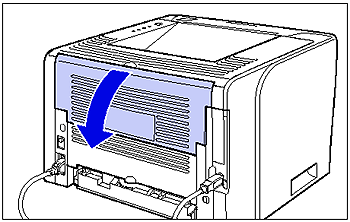
Switching to the Face-up Output SlotWhen switching to the face-up output slot, open the output selection cover as shown in the figure.
 Switching to the Face-down Output Tray
When switching to the face-down output tray, close the output selection cover as shown in the figure.