







Which languages can be displayed? (EOS M)
Solution
The following 25 languages can be displayed on the LCD monitor of your camera.
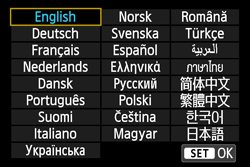
To select the interface language, follow the steps below.
1. Set the power to <ON>.
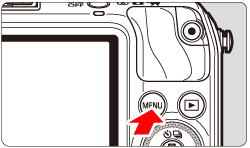
2. Press the <MENU> button to display the menu.
3. Under the [  ] tab, select [Language
  ].
].
] tab, select [Language ].
4. Set the desired language from the menu that appears.
In this case, select "Japanese".
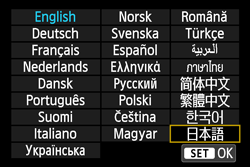
5. Press the < /SET> button ,and then the menu language will change.
/SET> button ,and then the menu language will change.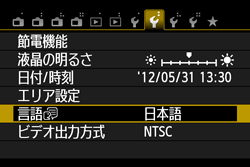
6. Press the <MENU> button to return to the shooting settings display.
This completes the process of selecting the interface language.