








Recording Movies at Specific Shutter Speeds, Aperture Values, and ISO Speeds (PowerShot G3 X)
Solution
Set your preferred shutter speed, aperture value, and ISO speed.
The setting procedures are explained below.
IMPORTANT
Some shutter speeds may cause flickering on the screen when recording under fluorescent or LED lighting, which may be recorded.
1. Set the mode dial to [Movie] ( ) and press the power button to turn the camera on.
) and press the power button to turn the camera on.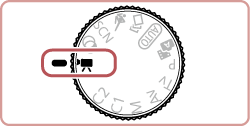
2. Press the [  ] button, press the [
  ], [
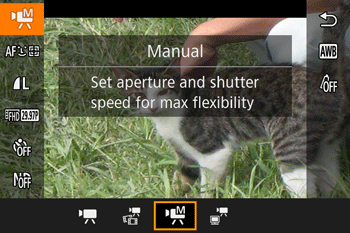
], [  ] buttons to choose [ Movie Mode] ()* in the menu, and then press the [
  ], [
], [  ] buttons or turn the [
  ] dial to choose [Manual] (
 )
)
] button, press the [ ], [ ] buttons to choose [ Movie Mode] ()* in the menu, and then press the [ ], [ ] buttons or turn the [ ] dial to choose [Manual] ()* If the settings have not been changed, [ ] will be displayed as the default mode.
] will be displayed as the default mode.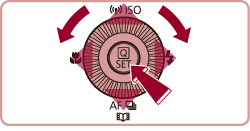
3. Configure the  shutter speed,
  aperture value, or
  ISO speed, settings using the values displayed on the screen as a reference.
shutter speed, aperture value, or ISO speed, settings using the values displayed on the screen as a reference.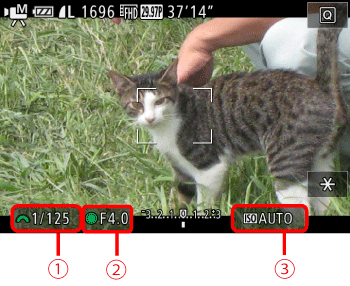
- To adjust the shutter speed or ISO speed, press the [ ] button and turn the [
 ] dial.
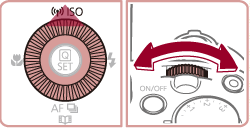
- Turn the [ ] dial to set the aperture value.
| Shutter speed | 30, 25, 20, 15, 13, 10, 8, 6, 5, 4, 3.2, 2.5, 2, 1.6, 1.3, 1, 0.8, 0.6, 0.5, 0.4, 0.3, 1/4, 1/5, 1/6, 1/8, 1/10, 1/13, 1 / 15, 1 / 20, 1 / 25, 1 / 30, 1 / 40, 1 / 50, 1 / 60, 1 / 80, 1 / 100, 1 / 125, 1 / 160, 1 / 200, 1 / 250, 1 / 320, 1 / 400, 1 / 500, 1 / 640, 1 / 800, 1 / 1000, 1 / 1250, 1 / 1600, 1 / 2000 |
| Aperture | F1.8, F2.0, F2.2, F2.5, F2.8, F3.2, F3.5, F4.0, F4.5, F5.0, F5.6, F6.3, F7.1, F8.0, F9.0, F10, F11 |
| ISO speed | AUTO 125, 160, 200 250, 320, 400, 500, 640, 800 1000, 1250, 1600, 2000, 2500, 3200, 4000, 5000, 6400 8000, 10000, 12800 |
4. Press the [Movie Button] ( ) to start shooting.
) to start shooting.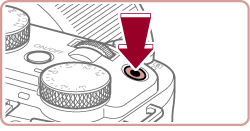
REFERENCE
During movie recording, you can switch the setting to configure.
Press the [ ] button to select the desired item.
] button to select the desired item.As shown in the example images below, the item which the [  ] mark appears on can be adjusted.
] mark appears on can be adjusted.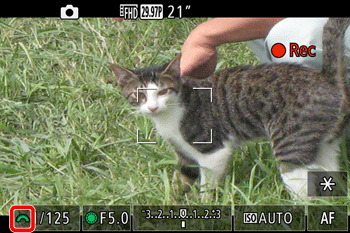

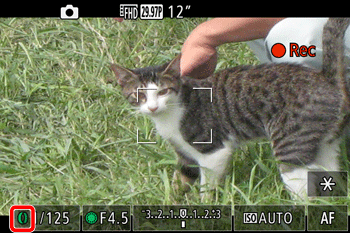
Adjust the value by turning the [ ] ring.
] ring.