







Setting the ISO speed (PowerShot G9 X Mark II)
Solution
Raise the [ISO speed] to use a fast shutter speed when you wish to reduce the effects of camera shake or avoid blurry subjects, or to turn the flash off when shooting in a dark area.
Also, with [ISO AUTO] selected, you can set the maximum ISO speed, or select the rate of change.
IMPORTANT
- The following section explains the setting procedures when the camera’s shooting mode has been set to [Program AE] (
 ).
).
In some modes ISO Speed setting is not available. Please refer to the table below.
 : Available
 : Not available
 | Function | Shooting Mode | ||||||||||||||||||||||||||||
| ISO Speed |  |  |  |  |  |  |  | SCN |  | ||||||||||||||||||||
 |  |  |  |  |  |  |  |  |  |  |  |  |  |  |  |  | |  |  | |  | ||||||||
| AUTO | * | | | | | | | | | | | | | | | | | | | | | | | | | | | | |
| ISO 125 – 12800 | * | | | | | | | | | | | | | | | | | | | | | | | | | | | | |
| *Options vary depending on the assigned shooting mode. | |||||||||||||||||||||||||||||
Set the ISO speed to [AUTO] for automatic adjustment to suit the shooting mode and conditions. Otherwise, set a higher ISO speed for higher sensitivity, or a lower value for lower sensitivity.
- Procedures for setting the ISO speed are explained below.
1.Turn the camera on.
- Press the power button.
- The startup screen is displayed.
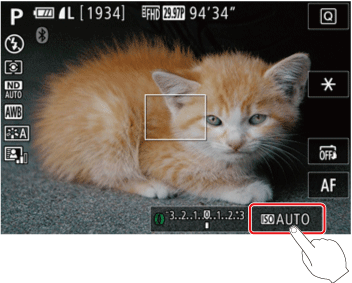
2.Changing the ISO Speed
- Touch [
 ], and then choose the ISO speed (either touch [
  ][
][  ] or turn the [
  ] ring).
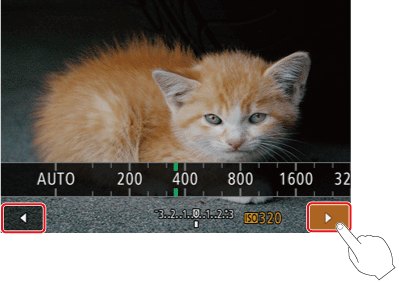
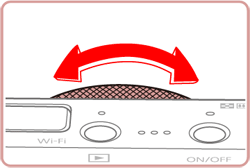
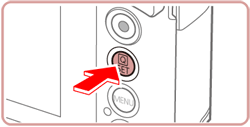
- Press the <
 > button to complete the settings.
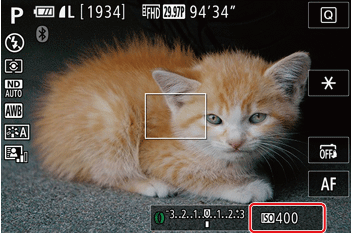
- The option you configured is now displayed. (The [ISO Speed] has been set to 400 in the example image below.)
NOTE
- To view the automatically determined ISO speed when you have set the ISO speed to [AUTO], press the shutter button halfway.
- Although choosing a lower ISO speed may reduce image graininess, there may be a greater risk of subject and camera shake in some shooting conditions.
- The faster shutter speed used at higher ISO speeds reduces subject and camera shake and increases the flash range. However, shots may look grainy.
- You can also set the ISO speed by accessing MENU) > [
 -5 ] tab > [ISO speed] > [ISO Speed].
This concludes the procedures for Setting the ISO Speed.
When the camera is set to [AUTO], maximum ISO speed can be specified in a range of [400] – [12800], and sensitivity can be specified in a range of three levels.
1.Turn the camera on.
- Press the power button.
- The startup screen is displayed.
2.Access the menu screen.
- Press the [MENU] button.
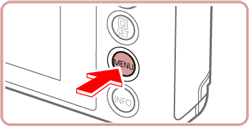
- Touch [ ], and then touch [5].
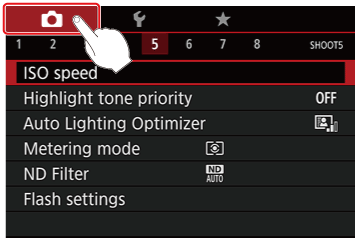
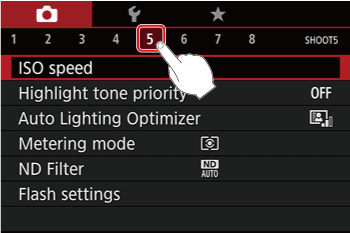
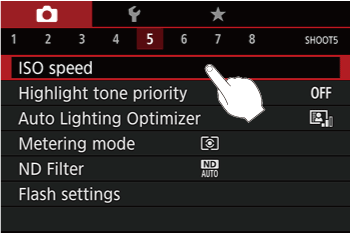
- Touch [ ISO Speed ] on the menu screen.
- Touch [ISO Auto Settings] on the screen displayed.
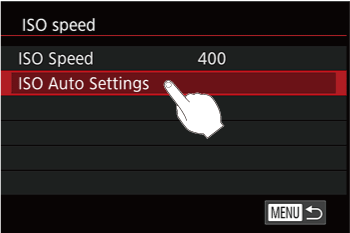
<Changing the Max ISO Speed>
- Touch [Max ISO Speed] when the following screen is displayed.
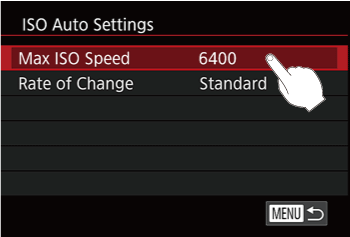
- Slide right/left with your finger across the number display on the screen to choose the desired setting.
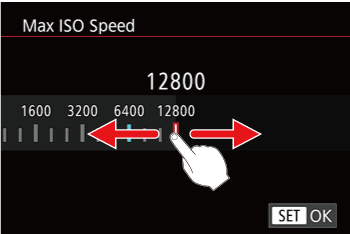
- Press the <> button to complete the setting.
<Changing the Rate of Change>
- Touch [Rate of Change] when the following screen is displayed.
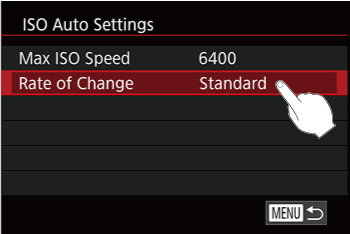
- Perform steps 1 to 3, display the [ISO Auto Setting] screen, and then touch [Rate of Change].
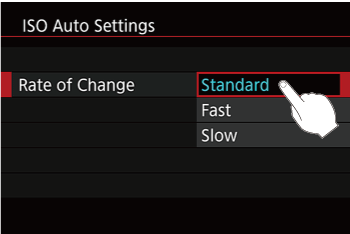
This concludes the procedures for changing the ISO Auto settings.