


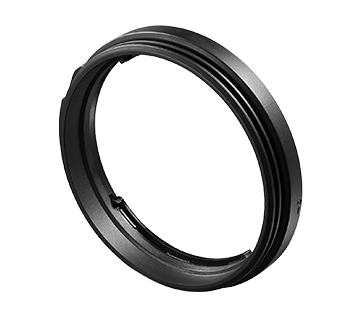






How to set functions to Control Ring (Customized Operations) (EOS R)
Solution
Functions often used on the EOS R can be set to the RF lens and mount adapter’s control ring.
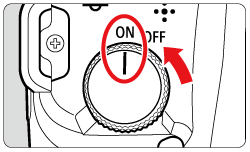
1. Set the camera's power switch to <ON>.
2. Press the <  > button.
> button.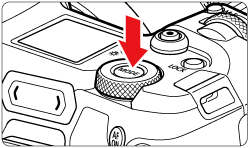
3. Turn the <  > dial, to choose either [
  ], [
], [  ], [
], [  ], [
], [  ], [
], [  ] or [
  ].
].
> dial, to choose either [ ], [ ], [ ], [ ], [ ] or [ ].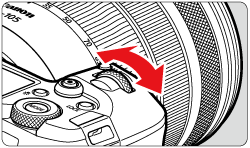
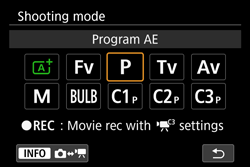
4. Press the <  > button to display the menu screen.
> button to display the menu screen.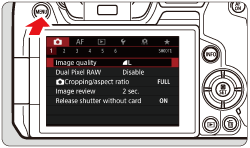
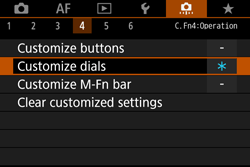
5. Press the <  > button to select the [
  ] tab.
> button to select the [ ] tab.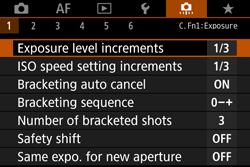
6. Turn the < > dial to select the [  ] tab.
> dial to select the [ ] tab.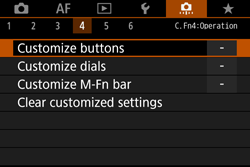
7. Select [Customize dials] and then press the <  > button.
> button.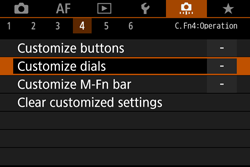
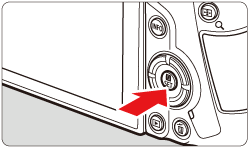
8. Select [  ] and then press the < > button.
] and then press the < > button.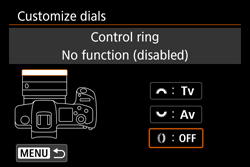
9. Select function and press the < > button.
> button.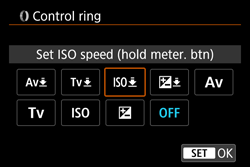
10. Once returned to step 8’s screen, press the< > button.
> button.The control ring will show the function selected in step 9.
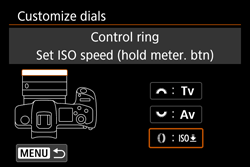
11. Settings are complete once returned to the menu screen.
NOTE
Customized operations are not cleared if you select [  : Clear all Custom Func. (C.Fn) ]. To clear the settings, select [ : Clear customized settings ].
: Clear all Custom Func. (C.Fn) ]. To clear the settings, select [ : Clear customized settings ].