









Capturing the Best Facial Expressions (Best Image Selection) (PowerShot SD4500 IS / IXUS 1000 HS)
Solution
The camera takes five continuous shots, then detects various aspects of the shot such as facial expressions, and saves only one picture detected as the best.
CAUTION
- The recording pixel setting will be fixed at (
 ) 1824×1368.
 - The focus, brightness and white balance will be set with the first shot.
- Depending on the shooting condition, you may not obtain the expected result.
- [ISO speed] is set to [AUTO] (
 ).
). - [White Balance] is set to [AUTO] (
 ).
). - [AF Frame] is set to [Face Detect].
- The following functions cannot be used in the High-speed Burst.
- [Flash] ( ), [Macro] (
 ), [Digital Zoom], [Date Stamp]
), [Macro] (), [Digital Zoom], [Date Stamp]For functions other than the above that cannot be used, see the [Camera User Guide] bundled with the camera.
1. Set  the <Mode Switch> to [Shooting] (
 ) and then press
  the <Power> button.
the <Mode Switch> to [Shooting] () and then press the <Power> button.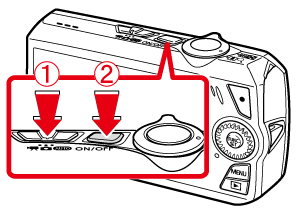
2. Press the <FUNC./SET> ( ) button.
) button.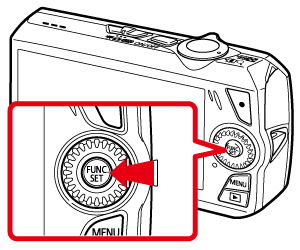
3. The following window appears.
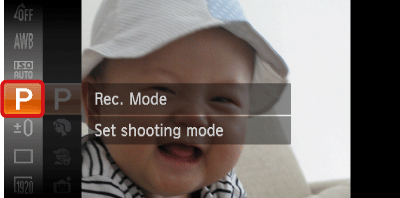
Operate the <directional buttons> up or down to select [Rec. Mode] (If no changes have been made so far, [Program] ( ) will be displayed).
) will be displayed).Press the <FUNC./SET> () button.
) button.4. The following window appears.
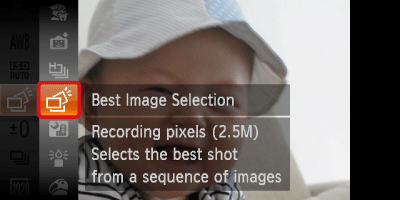
Operate the <directional buttons> up or down to select [Best Image Selection] ( ).
).
).Press the <FUNC./SET> () button.
) button.5. The following window appears.
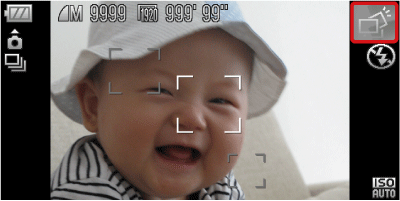
If the [Best Image Selection] ( ) icon appears on the top-right part of the screen, the setting is completed.
) icon appears on the top-right part of the screen, the setting is completed. When the <Shutter button> is pressed fully, the camera takes five continuous shots, and saves one picture only.