









How to Open and Close the Printer Cover (MF4122/MF4150)
Solution
1. Lift the scanning platform (A) until it is locked, and open the printer cover (B).
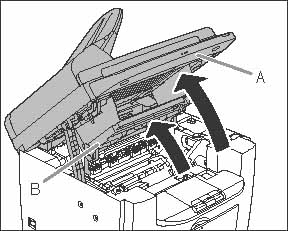
(B): Printer cover
2. Close the printer cover and lower the scanning platform.
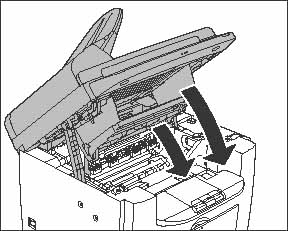
CAUTION
Be careful not to get your fingers caught.