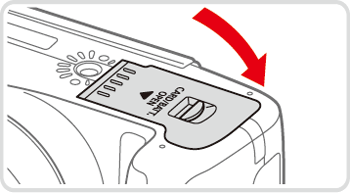
Opening and closing the memory card/battery cover (PowerShot SX50 HS)
Solution
IMPORTANT
The position and shape of the operation buttons, screens displayed, and setting items may differ according to the model you use.
Slide the switch ( ) and open the cover (
 ).
).
) and open the cover ().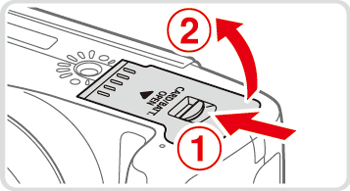
Lower the cover in the direction of the arrow and press it until it clicks into the closed position.