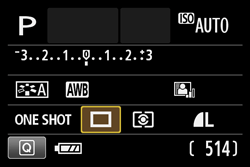
A photo is not shot immediately after the shutter button is pressed (there is some delay before the photo is taken) (EOS REBEL T5i / EOS 700D)
Solution
Is the camera set to self-timer shooting?
With self-timer shooting on, even if you press the shutter button, the photograph will not be shot immediately.
Turn self-timer shooting off using the procedure below.
NOTE
Icons used on this page:
< >: Drive mode selection button / <
 >: Cross keys / <
 >: Main Dial / <
 >: Setting button
>: Drive mode selection button / <>: Cross keys / <>: Main Dial / <>: Setting button *The icons and markings indicating the camera’s buttons, dials, and settings correspond to the icons and markings on the camera and on the LCD monitor.
1. Press the <> button.
> button.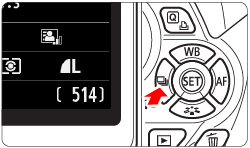
2. Select an item other than the self-timer using the <> or <>.
> or <>. The procedure for single-image shooting ( ) is selected in the image below.
) is selected in the image below.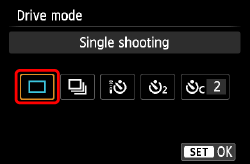
3. Press the <> button.
> button.The camera is set to single-image shooting () and self-timer shooting is turned off.
) and self-timer shooting is turned off.