









Confirming that the camera is level (Electronic Level) (PowerShot G3 X)
Solution
An electronic level can be displayed on the screen when shooting as a guideline to determine if the camera is level.
IMPORTANT
- The following section explains the setting procedures when the camera’s shooting mode has been set to [Program AE] (
 ).
).
1. Press the power button to turn the camera on.
2. Press the [DISP.] button to display the [Electronic Level].
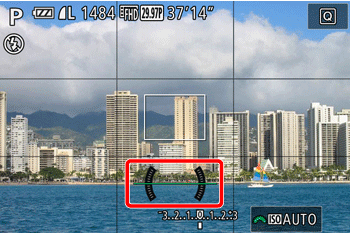
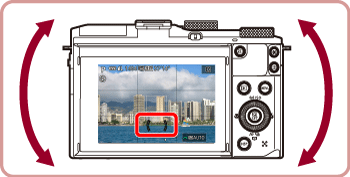
3. If the camera is tilted, move it so that the red level line changes to green.
NOTE
- If the electronic level is not displayed in step 1, press the [MENU] button and check the setting in [
 1] tab > [Shooting information display].
 - Tilting the camera too far forward or backward will prevent you from using the electronic level, which will turn gray.
- The electronic level is not displayed during movie recording.
- If you hold the camera vertically, the orientation of the electronic level will be updated automatically to match the camera orientation.
- Not available in [
 ] mode.
Calibrate the electronic level if it seems ineffective in helping you level the camera.
For greater calibration accuracy, display grid lines to help you level the camera in advance.
NOTE
- To display the [Grid Lines], press the [DISP.] button and the [Grid Lines] will appear.
- If the grid lines are not displayed, press the [MENU ] button, and on the [ 1] tab, choose [Shooting information display] to confirm the setting.
1. Place the camera on a flat surface, such as a table.
2. Press the [MENU] button and move the zoom lever to choose the [  ] tab.
] tab.Press the [  ], [
], [  ] buttons to choose [
  ].
].
], [ ] buttons to choose [ ].Press the [  ], [
], [  ] buttons to choose [Electronic Level], and then press the [
  ] button.
], [ ] buttons to choose [Electronic Level], and then press the [ ] button.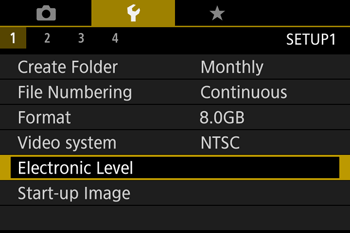
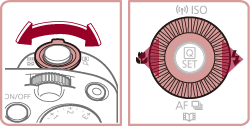
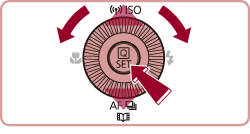
3. Press the [ ], [ ] buttons or turn the [  ] dial to choose [Calibrate], and then press the [ ] button.
], [ ] buttons or turn the [ ] dial to choose [Calibrate], and then press the [ ] button.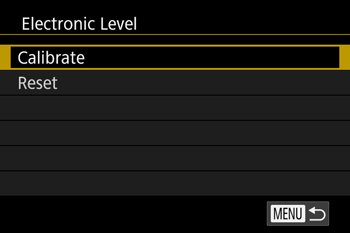
NOTE
- To restore the electronic level to its original state, choose [Reset].
- Note that this is not possible unless you have calibrated the electronic level.
4. Press the [ ], [ ] buttons to choose [OK], and then press the [ ] button.
], [ ] buttons to choose [OK], and then press the [ ] button.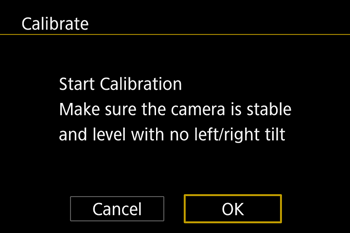

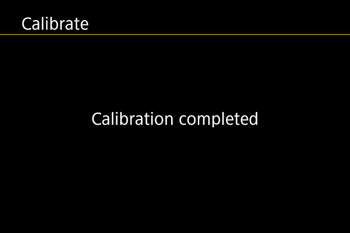
This concludes the electronic level calibration procedure.