









Changing Control Ring Settings (PowerShot G9 X Mark II)
Solution
Reassign control ring functions as follows.
Using the control ring is an enjoyable way to control the camera as you would a fully manual camera.
1.Turn the camera on.
- Press the power button.
- The startup screen is displayed.
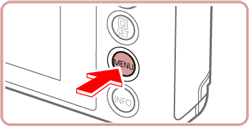
2.Access the menu screen.
- Press the [MENU] button.
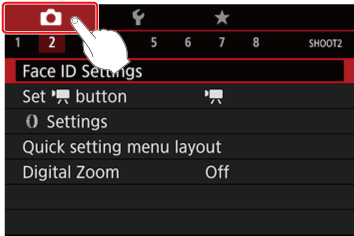
3.Choose a function to assign to the [  ] ring.
] ring.- Touch [
 ], and then touch [2].
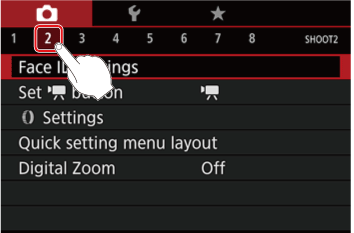
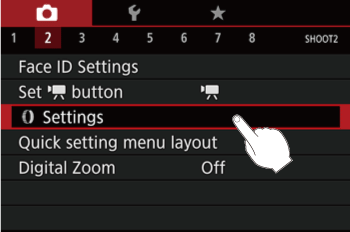
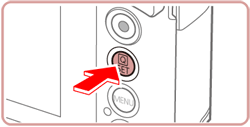
- Touch [ Settings ], and then press the [
 ] button.
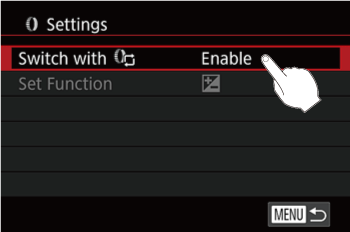
- Touch [ Switch with
 ].
].
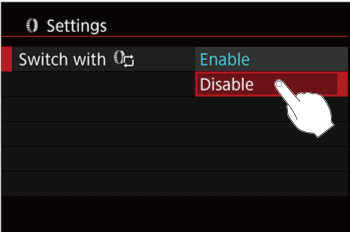
- Touch [Disable] on the screen displayed.
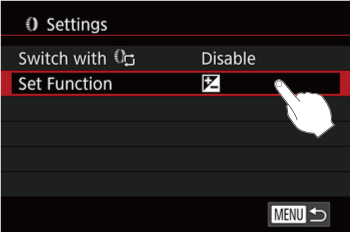
- Touch [Set Function].
4.Configure the assigned function.
- Touch the desired menu item on the screen displayed to select it.
- Press the < > button to complete the setting.
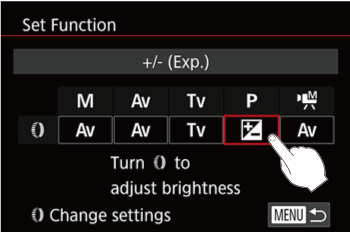
Functions you can assign to the control ring vary depending on shooting mode.
| Item | Shooting Mode | |||
 / /  |  |  |  | |
| | |  | |
| | | | |
 | Adjust the ISO speed | |||
 | Correct the exposure | |||
 | Correct white balance | |||
 | Perform step zooming (except in mode) | |||
 | Set the Auto Lighting Optimizer effect | |||
 | Adjust the aspect ratio (except in mode) | |||
NOTE
- The [ ] ring can be used for step zooming in [AUTO] or [
 ] mode.