









The Lens' Image Stabilizer Cannot Be Set (EOS M50)
Solution
[IS] stands for Image Stabilizer. Lenses that have image stabilization would include [IS] to its name, such as [EF-M11-22mm F4-5.6 IS STM]. Camera movement (due to shaking hands) will be reduced when using lenses with image stabilization.
If the name of the lens does not have [IS], stabilization cannot be set.
For non-IS EF-M lenses, the [IS Mode] menu option will not be displayed.
Configure image stabilization via the camera menu when using an EF-M lens with image stabilization.
At the time of purchase, camera's [IS Mode] is set to [Continuous].
1. Turn the camera on.
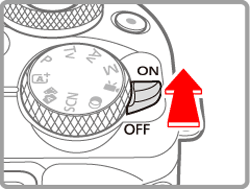
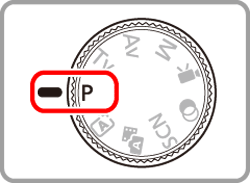
2. Set it to P mode.
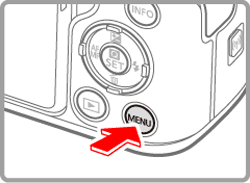
3. Press the MENU button.
4. Choose [  ], then press the
  button.
], then press the button.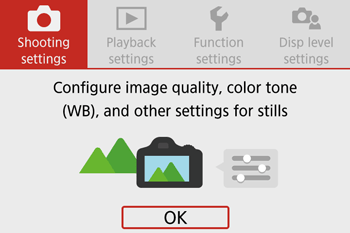

5. Choose the [  ] tab.
] tab.Select [IS settings], and then press the button.
button.
6. Choose [IS Mode], then press the button.
button.
7. Choose an option, and then press the  button.
button.
| On | Corrects camera movement or camera shake using built-in image stabilization performed by the lens. |
| Off | Deactivates image stabilization. |
8. To return to the previous screen during configuration, press the MENU button.
NOTE
- Image stabilization is only applied at the moment of shooting in [
 ] mode, regardless of the lens IS setting.
 - If image stabilization cannot prevent camera shake, mount the camera on a tripod or take other measures to hold it still. Additionally, you should set [IS mode] to [Off] when using a tripod or other means to secure the camera.
[IS Mode] is not displayed for lenses other than EF-M lenses. Use the image stabilization switch on the lens instead.
The Image Stabilizer will operate when the lens' [STABILIZER] (Image Stabilizer switch) is set to [ON], as shown in the image below.
Non-IS EF lenses do not include a [STABILIZER] (Image Stabilizer switch).
