









Adding a Date Stamp when Shooting (PowerShot G5 X Mark II)
Solution
The camera can add the shooting date to images, in the lower-right corner.
However, note that date stamps cannot be edited or removed, so confirm beforehand that the date and time are correct.
IMPORTANT
- Not available in some shooting modes.
The procedure for adding a date stamp to images during shooting is explained below.
1. Turn the camera on.
2. Press the  button.
button.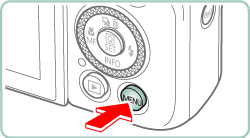
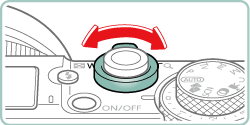
3. Use the zoom lever to choose the [  ] tab.
] tab.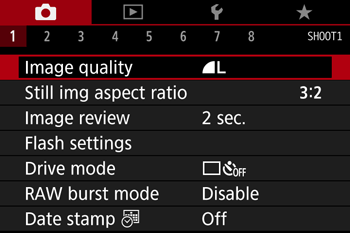
4. Press the  /
/  button to choose the [
  ] tab.
/ button to choose the [ ] tab.

5. Press the  /
/  buttons to select [ Date stamp
  ] , then press the
  button.
/ buttons to select [ Date stamp ] , then press the button.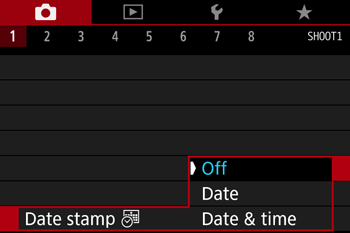

6. Press the / buttons to select [Date] or [Date & time] , then press the button.
/ buttons to select [Date] or [Date & time] , then press the button.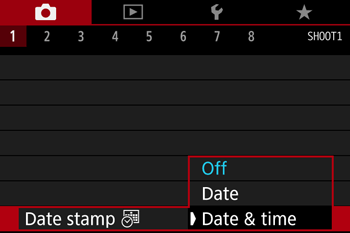
7. Press the button.
button.8. [  ] or [
  ] is displayed.
] or [ ] is displayed.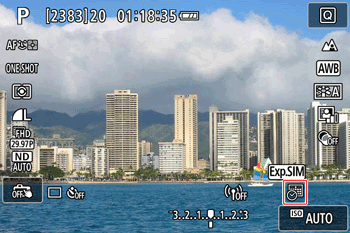
NOTE
If the icon does not appear, press the button several times.
button several times.
9. The [Date Stamp] will be added to the images as shown below:
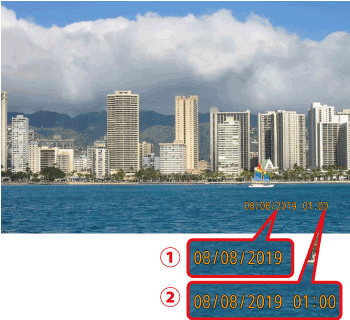
 : [Date]
 : [Date & time]
IMPORTANT
Shots taken without adding a date stamp can be printed with one as follows.
However, adding a date stamp this way to images that already have one may cause it to be printed twice.
- Print using printer functions
- Use camera DPOF print settings to print