
PIXMA E3670
PIXMA E3670
PIXMA E3670
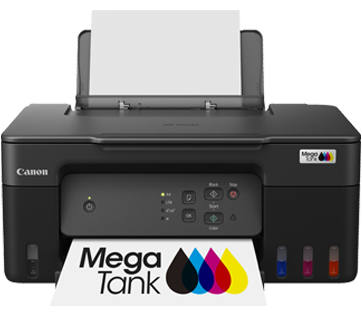
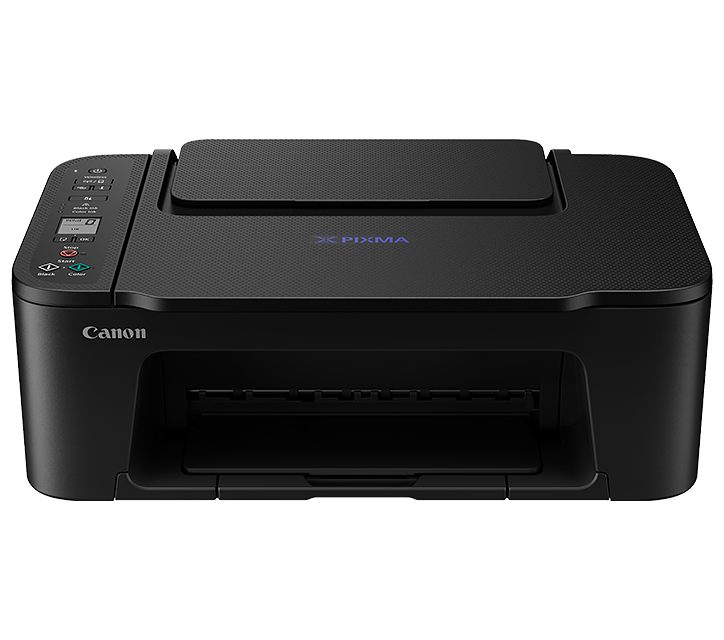
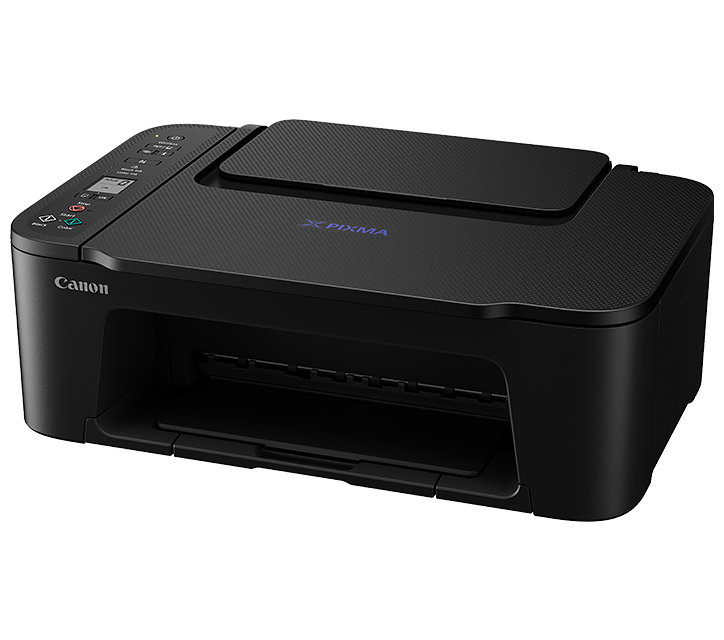
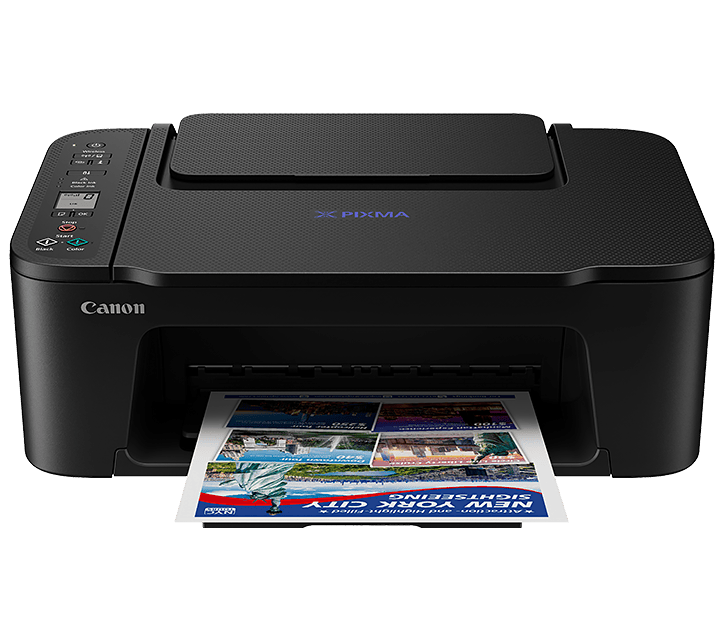
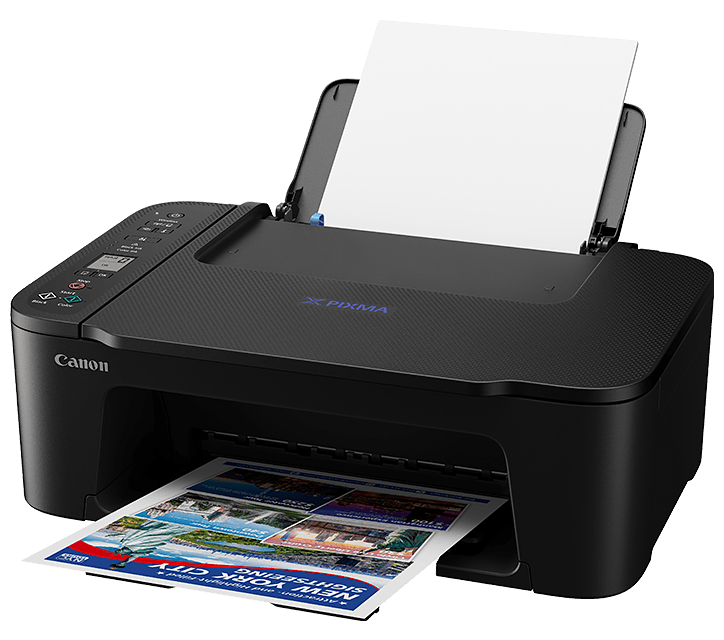
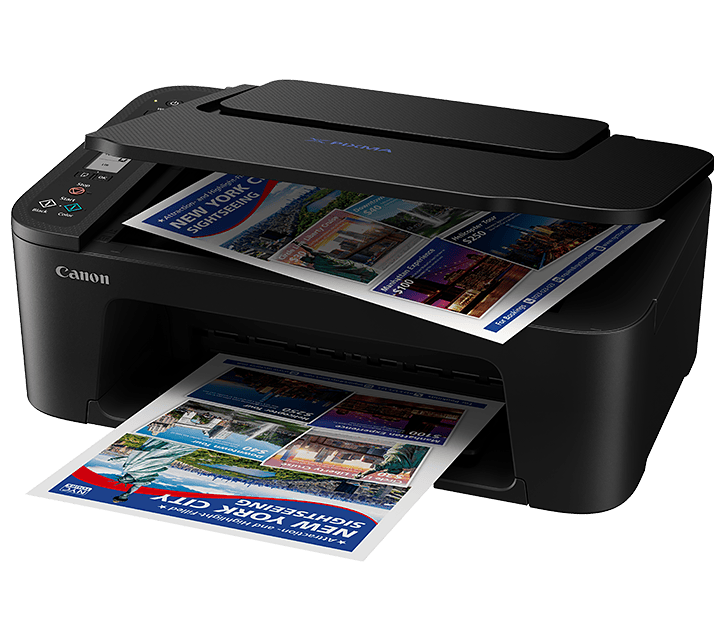
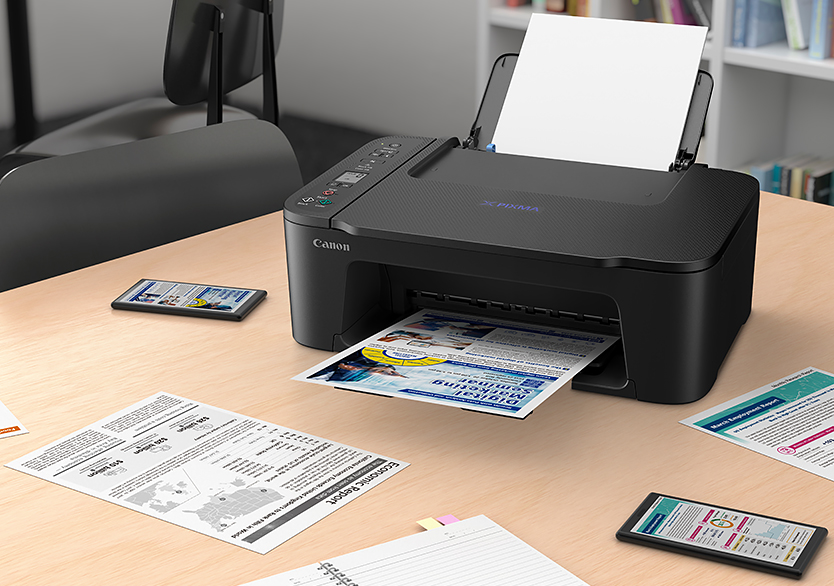
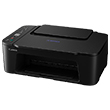
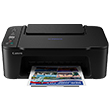
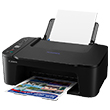
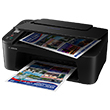
The Canon PIXMA E3670 is a wireless Ink Efficient all-in-one printer with an LCD for ease of navigation, alongside wireless printing, scanning and copying features for home and students.
Promotion
Key Features
Features
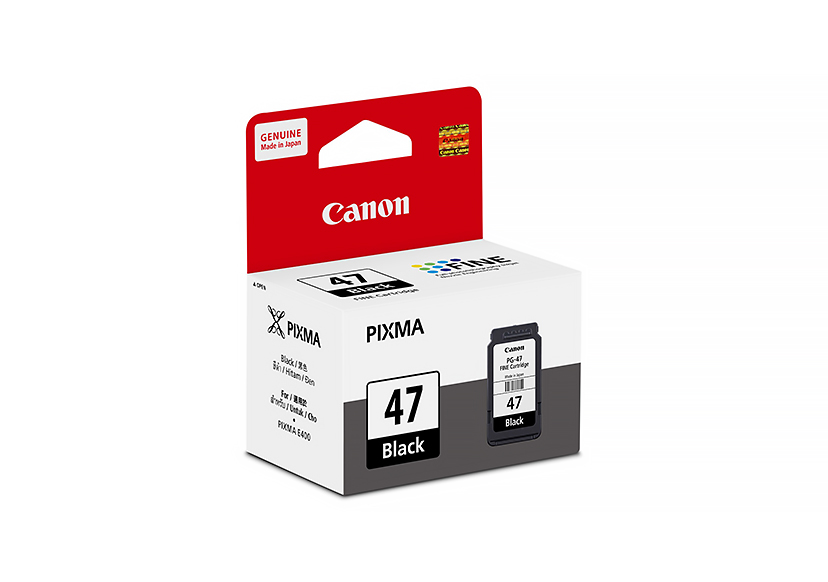
Low-Cost Cartridge
Prints up to 400 pages with the high-yield black ink cartridge.
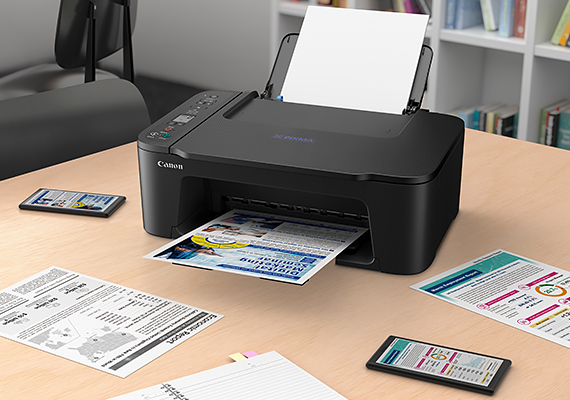
Compact Design for Small Workspaces
Compactly designed to fit neatly into your workspace while leaving ample room for your documents and daily tasks.
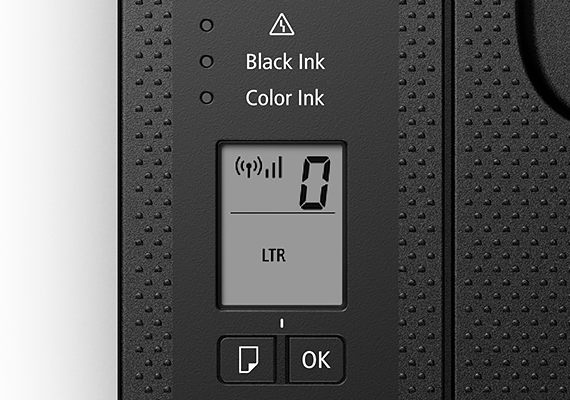
1.5" Segment LCD with Icon Display
Easily set the copy size and number of copies. Intuitive LCD icons clearly indicate the printer and wireless connection status.
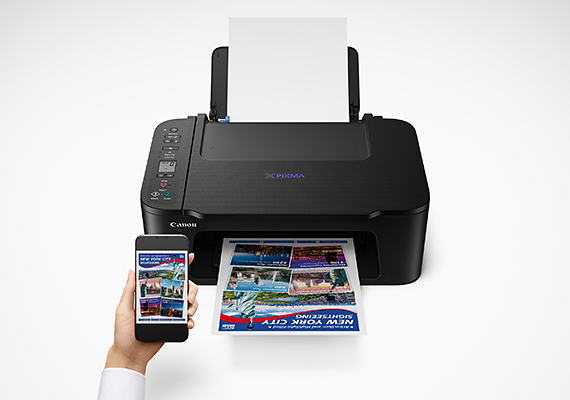
Mobile & Cloud Printing
Print from smartphones, tablets, laptops and cloud storage with the free Canon PRINT and Canon Easy-PhotoPrint Editor apps.
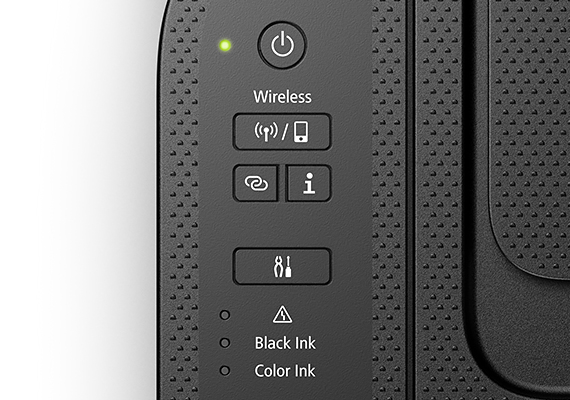
Smart Power Saving
Automatically powers on when a print job is sent and powers off after inactivity, helping to save energy without compromising convenience.
Related Consumables
Ink/Ribbon/Print Head
|
Product Name
|
Page Yield
|
Product Type
|
|
CL-57 (Colour)
|
300
pages
|
Ink Cartridge
|
|
CL-57S (Colour)
|
180
pages
|
Ink Cartridge
|
|
PG-47 PGBK (Pigment Black)
|
400
pages
|
Ink Cartridge
|
Disclaimer
- 01. Page yields may vary depending on content coverage, print settings, temperature, humidity, and frequency of printing.
- 02. For ink bottle, the declared yield value is the estimated value based on Canon individual test method using the ISO/IEC 24712 colour chart and continuous printing simulation with the replacement ink bottles after initial setup. The colour yield is based on 1 set composite colour bottles.
-
03. For ink cartridge, the declared yield value is in accordance with ISO/IEC 24711, using the ISO/IEC 24712 colour chart. Values obtained by continuous printing.
Click here for more information
Paper/Specialty Media

100 sheets

20 sheets
PP-208 Photo Paper Plus Glossy II
- High quality photo paper
- Ultra-glossy finish
- Grammage - 270g/m2

120 sheets

50 sheets
MP-101 Matte Photo Paper
- Non-reflective surface
- Ideal for craft making, greeting cards and scrapbooking
- Colours last up to 15 years
- Grammage – 170g/m2

500 sheets/ream (5/ctn)

500 sheets/ream (5/ctn)
Business Paper
High grade white paper for general office use. Good opacity eliminates show-through with double sided copying and printing.

500 sheets/ream (5/ctn)

500 sheets/ream (5/ctn)
Standard Paper
Canon Standard is made for high volume and quality printing while keeping the running cost competitive. Ideal paper for your daily high intensity printing needs.

20 sheets
LU-101 Photo Paper Pro Luster
- Fast drying time
- Consistent look and colour under display lighting
- Ideal for studio and special event photos
- Semi-gloss finish
- Grammage - 260g/m2

200 sheets
HR-101N High Resolution Paper
- Coated paper
- Produces brilliantly coloured text and graphic
- Grammage – 106g/m2
Related Reads
Specifications
| Print Head/Consumables | |
| Number of Nozzles | Total 1,280 nozzles |
| Ink Cartridge (Type/Colours) | Included: PG-47 (Pigment Ink/Black), CL-57S (Dye-Based Ink/Colour) Optional: CL-57 (Dye-Based Ink/Colour) |
| Maximum Print Resolution
| 4,800*1 (Horizontal) × 1,200 (Vertical) dpi
|
| Print Speed*2 (Approx.) Click here for Summary Report Click here for Document Print and Copy Speed Measurement Conditions | |
| Document (ESAT/Simplex)*3
| 7.7 / 4 ipm (Mono/Colour)
|
| Photo 4 × 6" (PP-201/Borderless)*4
| 65 sec
|
| Print Width
| Up to 203.2 mm (8") Borderless: Up to 127 mm (5") |
Scan*5
| Scanner Type | Flatbed |
| Scanner Technology | Contact Image Sensor (CIS) |
| Optical Resolution*6 | 600 × 1,200 dpi |
| Scanning Bit Depth (Output)
| |
| Greyscale
| 8 bit
|
| Colour
| RGB each 8 bit
|
| Maximum Document Size
| |
| Flatbed | A4, LTR (216 × 297 mm) |
Copy
Paper Handling
| Print Margin | |
| Borderless Printing | Top/Bottom/Left/Right: 0 mm |
| Bordered Printing | LTR/LGL: Top: 3 mm, Bottom: 5 mm, Left: 6.3 mm, Right: 6.4 mm Square (127 × 127 mm): Top/Bottom/Left/Right: 6 mm Others: Top: 3 mm, Bottom: 5 mm Left/Right: 3.4 mm |
| Supported Media*8
| |
| Rear Tray
| Plain Paper (64 - 105 g/m²) Photo Paper Plus Glossy II (PP-201, PP-208) |
| Paper Size*8
| |
| Rear Tray
| A4, A5, B5, LTR, LGL, 4 × 6", 5 × 7", Square (127 × 127 mm) Custom Size Width: 89 - 215.9 mm Length: 127 - 676 mm |
| Borderless Printing*9
| 4 × 6", 5 × 7", Square (127 × 127 mm)
|
| Paper Weight
| |
| Rear Tray
| Plain Paper: 64 - 105 g/m² Canon Paper: Approx. 275 g/m² (Max.) (Photo Paper Plus Glossy II, PP-201) |
| Maximum Capacity
| |
| Rear Tray
| Plain Paper (A4/LTR, 64 g/m²): 60 Photo Paper Plus Glossy II (PP-208, 4 × 6"): 20 |
Network
| Protocol | SNMP, HTTP, TCP/IP (IPv4/IPv6) |
| Wireless LAN | |
| Type | IEEE 802.11b/g/n |
| Frequency Band
| 2.4 GHz |
| Channel
| 2.4 GHz: 1 - 13 (Taiwan: 1 - 11 only) |
| Security
| WPA-PSK (AES) WPA2-PSK (AES) WPA3-SAE (AES) |
| Direct Connection (Wireless LAN)
| Available
|
Printing Solutions
| Canon Printing Apps | |
| Mobile (iOS/Android) | Canon PRINT, Easy-PhotoPrint Editor |
| PC (Windows/Mac) | Canon PRINT, Easy-PhotoPrint Editor, Easy-Layout Editor (Win only), PosterArtist Lite (Win only), PosterArtist Web (browser-based) |
| Mobile/Cloud Printing
| AirPrint®, Mopria® Print Service, Canon Print Service (Android), Cloud Integration Service (via smartphone/tablet), Wireless Direct |
System Requirements
| OS System Compatibility*10 | Windows 11 / 10 / 8.1 / 7 SP1, macOS 10.15.7 - 26 or later, ChromeOS |
General Specifications
| Operation Panel | |
| Display | 1.5" Segment LCD (Monochrome) |
| Interface | USB 2.0 |
| Operating Environment*11 | |
| Temperature
| 5 - 35°C
|
| Humidity
| 10 - 90% RH (no dew condensation)
|
| Recommended Environment*12 | |
| Temperature
| 15 - 30°C
|
| Humidity | 10 - 80% RH (no dew condensation)
|
| Storage Environment
| |
| Temperature | 0 - 40°C
|
| Humidity | 5 - 95% RH (no dew condensation)
|
| Quiet Mode
| Available
|
| Acoustic Noise (PC Print)*13 | |
| Plain Paper
| 48 dB(A)
|
| Power Requirements
| AC 100 - 240 V, 50/60 Hz
|
| Power Consumption (Approx.)
| |
| OFF
| 0.2 W
|
| Standby (USB Connection to PC)
| 1.0 W
|
| Operation (USB Connection to PC)*14 | 9 W
|
| Dimensions (W × D × H) (Approx.)
| |
| Factory Configuration
| 435 × 327 × 145 mm
|
| Output/Trays Extended
| 435 × 552 × 213 mm
|
| Weight (Approx.)
| 4 kg |
Page Yield*15
- Ink droplets can be placed with a pitch of 1/4,800 inch at minimum.
- Print speed may vary depending on system configuration, interface, software, document complexity, print mode, page coverage, type of paper used etc.
- Document print speeds are the average of ESAT, based on the Office Category Test (Word, Excel, PDF), the default simplex mode, and the ISO/IEC 24734 standard. Click here to find out more.
- Photo print speed is based on the default setting using ISO/JIS-SCID N2 on Photo Paper Plus Glossy II and does not take into account data processing time on host computer.
- TWAIN driver (ScanGear) is based on the TWAIN specification V1.9 and requires the Data Source Manager comes with the operating system.
- Optical resolution is available, only when you use TWAIN Driver. Optical resolution is a measure of maximum hardware sampling resolution, based on ISO 14473 standard.
- Copy speeds are the average of sFCOT and sESAT, based on ISO/IEC 29183 standard. Copy speeds (ADF) are ESAT of copy in sequence, based on ISO/IEC 24735 standard. Copy speed may vary depending on document complexity, copy mode, page coverage, type of paper used etc. and does not take into account warm-up time.
- Paper media and sizes listed may not be available in all markets.
- The following media or paper types do NOT support borderless printing: High Resolution Paper, T-Shirt Transfer, Photo Stickers.
- Please visit https://asia.canon/support to check OS compatibility and to download the latest driver updates.
- The performance of the printer may be reduced under certain temperature and humidity conditions.
- For the temperature and humidity conditions of papers such as photo paper, refer to the paper's packaging or the supplied instructions.
- Acoustic Noise is measured based on ISO 7779 standard using default settings.
- When copying ISO/JIS-SCID N2 (printed by inkjet printer) on A4 size plain paper using default settings.
- Page yields may vary depending on content coverage, print settings, temperature, humidity, and frequency of printing.
- Declared yield value is in accordance with ISO/IEC 24711, using the ISO/IEC 24712 colour chart. Values obtained by continuous printing.
- Declared yield value is in accordance with ISO/IEC 29102, using the ISO/IEC 29103 chart. Values obtained by continuous printing. Black ink is not used when printing under this condition. However, a minimal amount of black ink is used for maintenance purposes.
Disclaimer
- To maintain optimal printer performance, Canon printer automatically perform cleaning based on its condition. During this cleaning process, a small amount of ink is consumed, which may include all colours of ink.
[Cleaning Function]
The cleaning function helps remove air bubbles or clogs from the print head nozzles, preventing degradation in print quality or nozzle blockages. - Replacement parts for printers will be available for five years after production is discontinued. Depending on your model, we may recommend replacing it with a new unit or one that offers similar performance as part of our maintenance service. In such cases, you may find that supplies or accessories for your model are no longer available, or that compatible operating systems may change.
- To achieve optimal print quality, use the ink within six months of opening.
- Depending on your device, whether it is a computer or a smartphone and its operating system, the estimated ink level information displayed on your screen may differ from what appears on the printer's operation panel. Additionally, some parts of the estimated ink level message shown on the printer may not be visible or may appear at different times. Canon recommends using the information displayed on the printer's operation panel as your primary reference, noting that this information serves only as a guideline.
- Depending on the type of paper and print settings, colour ink may still be used even when you print a monochrome document. If any colour of ink runs out, you will need to replace the ink cartridge.
- For ink cartridge printer, you must install ink cartridges of all colours, regardless of whether you are printing in monochrome or colour. If any ink cartridges is not installed, an error will occur, and printing will not be possible.
- When you use the Canon printer for the first time after installing the bundled ink cartridges, the printer consumes a small amount of ink to fill the nozzles of the print head. As a result, the number of sheets you can be printed with the initial set of ink cartridges is fewer than the subsequent cartridges.
- The printing costs mentioned in the brochures or on the website are based on consumption data from the second and subsequent ink cartridges, not the first one.
- For warranty details, please contact a Canon authorised sales representative in your country or region.
- Ink cartridges sold are generally meant for use with the printers sold in the same region. The ink cartridges may bear unique labels or configurations and may not be compatible for use with printers sold in another region. To ensure optimal performance of your printer, please check with your local Canon office or authorised Canon reseller before relocating your printer from the location of purchase.
- Please be aware that if a problem arises from using non-genuine ink cartridges (including those refilled with non-genuine ink through methods such as making a hole in the cartridge), a fee will be charged for repairs, even during the warranty period. Keep this in mind when using non-genuine ink.
- Using non-genuine inks may affect the printer's performance and print quality. In rare cases, where there are no safety concerns, non-genuine inks can cause the print head to overheat and emit smoke due to the absence of certain ingredient found in genuine ink.
[Note: This does not apply to usage of all non-genuine inks.]
Where To Buy / Service
Product Disclaimer
- 01. Please refer to individual country / region websites and respective sales offices for product availability.
- 02. Specifications, availability and terms of offers may change without notice.
- 03. Products / Services may be manufactured by and/or supplied to us by third party manufacturers / suppliers for distribution / resale (non-Canon brand products).